Most people who inherit a Shopping campaign go looking for the keyword tab first, out of habit. There isn't one. There's a bid, an ad group, a product feed link, and no box anywhere to type in the search terms you want to win. That's deliberate: Shopping is built to target through your product data instead of your bids, and once you know that, the rest of the campaign starts making sense.
Google Shopping ads (the listings with a photo, price and store name that show above or beside text ads) don't run on keyword targeting. Google decides when to show your product by matching the search query against the data you submit through Merchant Centre, the separate system that holds your product catalogue, and the single biggest factor in that match is the product title. This article covers why keywords don't exist here, what actually decides when you show, why the title and attributes are the real lever, how Merchant Centre and Google Ads divide the job between them, how campaign structure and priority work, the one keyword control Shopping does give you, and the most common reasons products get rejected.
Anyone who's just been handed a Shopping account, in-house or at an agency, and is trying to work out why nothing behaves like a normal search campaign, is the reader I have in mind here. It's an explainer of the mechanics, not a feed-building tutorial.
Why there's no keyword box
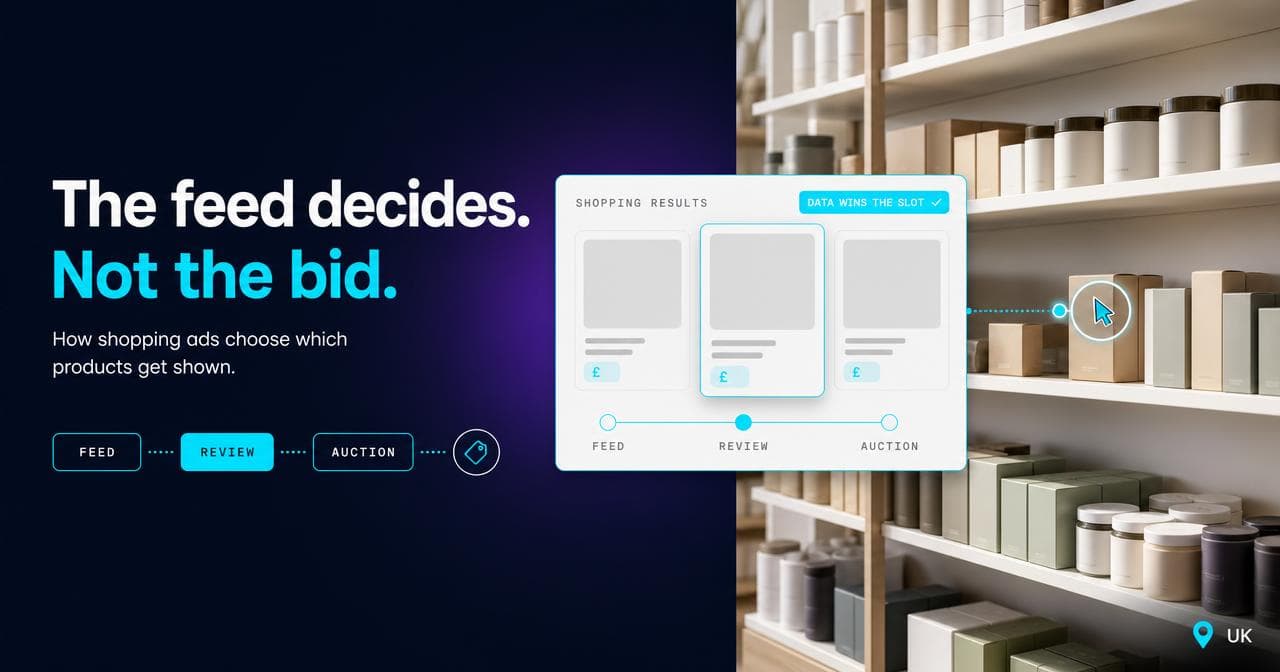
Standard text ads work from a bid on a keyword: you tell Google roughly which queries you want, and it matches your ad against them. Shopping flips that entirely. Google's own explanation of the format puts it plainly: Shopping ads use your Merchant Centre product data, not keywords, to decide how and where to show your ads.
That single sentence explains almost every confusing thing a newcomer runs into, and it's the first thing I point out when someone tells me their Shopping account feels broken because there's nothing to bid on. There's no keyword match type to fight over. There's no ad copy to write, because the title, image and price in the ad are pulled straight from the feed, not composed by you in the campaign. The advertiser's job moves upstream, into the data, before the campaign is even built.
The feed is the targeting mechanism
If there's no keyword to match against, something else has to decide which searches trigger your product. That something is the product data itself: title, description, product type, Google product category, brand, GTIN and the other attributes you submit through Merchant Centre. Google's systems parse a search query, then look for products whose data corresponds closely enough, weighted heavily toward the title.
This is the mental model I reach for whenever a client asks why their titles matter more than their bids: the feed is the targeting. Change the title and you change which searches you're eligible for, in much the same way changing a keyword list changes eligibility on Search. Most people treat the feed as a data-entry chore that happens once, then go and tune the campaign. On accounts that actually perform, the feed gets revisited as often as a keyword list would on Search, because that's functionally what it is.
Titles and attributes: the lever you actually have
The title field allows up to 150 characters, but Google is explicit that shoppers usually see only the first 70 or so, depending on screen size, and recommends putting the most important details first. That's the practical rule: brand, product type and the one attribute a shopper is most likely to search on, all inside the first 70 characters. Everything after that helps matching but stops helping the ad actually read as relevant on a phone screen.
I run into the failure version of this constantly on Magento stores. We run the SEO, tracking and paid media on 18 Carati, a Magento 2.4 store, and it's the same pattern on most Magento accounts we touch: the default feed exporter tends to build titles as generated strings rather than curated ones, putting the SKU or category path first and the actual product description somewhere further along, which is exactly backwards for how Google reads the field. The fix is almost always the same, rewrite the title template so the words a shopper would actually type come first, and fill in the rest of the attribute set (colour, material, size, GTIN) properly rather than leaving it to a generic default.
How Merchant Centre and Google Ads split the job
The two systems own different halves of the problem, and in the accounts I take over, mixing them up is the single most common cause of wasted time in the first few weeks. Merchant Centre owns the product data: title, price, availability, images, attributes, policy approval status. Google Ads owns the campaign: budget, bidding strategy, product group structure, priority. You link the two accounts, point a campaign at a Merchant Centre data source, and from that point the ad itself is assembled from Merchant Centre while the auction it competes in is run from Ads.
The practical consequence is that half the levers that fix a performance problem aren't in the interface you're looking at. If a product isn't showing, the answer is often sitting in Merchant Centre as an approval status or a data warning, not in the Ads dashboard as a bid or budget setting. Get into the habit of checking both before you touch either.
Structure and segmentation: product groups and priority
Ad groups in Shopping don't hold keywords, they hold product groups: subdivisions of your catalogue by category, brand, item ID, condition or a custom label you set yourself in the feed. That's where bid variation actually happens. You bid more on a subset of products by splitting them into their own group, not by adding a keyword.
Where it gets genuinely confusing, and where I've seen even sharp operators get caught out, is running more than one Shopping campaign against the same catalogue, which happens constantly once a retailer wants to isolate high-margin lines or a seasonal push. Overlapping products across campaigns are resolved by campaign priority, set as low, medium or high on each campaign: the highest-priority campaign with budget left competes for that product, and lower-priority campaigns only step in once it's exhausted. Every new campaign starts on Low by default, which caps its ability to compete against an older one on the same products until someone changes it.
The one keyword lever Shopping does give you
There is a genuine exception to "no keywords," and it's the one most newcomers never find: negative keywords. You can't tell Shopping which queries to chase, but you can tell it which queries to avoid, at the campaign or ad group level. This is the tool for a product that keeps matching against a nearby but wrong search, a product named "gold ring" pulling in searches meant for something else entirely, or a generic name catching a use case you don't sell into.
It's a blunt instrument compared with a full keyword strategy, but it's the only precision control in the box that isn't the feed itself, and most accounts I look at have never used it.
Why feeds get disapproved, and the quiet killer of staleness
Most disapprovals trace back to a handful of causes: the price or availability in the feed doesn't match what's live on the site, a required attribute for that category is missing (GTIN and other identifiers are the most common), the images fail policy (watermarks, placeholder graphics, text overlays), or the listing makes a claim the policy doesn't allow.
The one that catches accounts by surprise isn't a policy violation at all. Merchant Centre data feeds need to be uploaded at least once every 30 days, after which they expire, and every campaign reading from an expired feed simply stops serving. It's the number I check first on any account that's gone quiet with no obvious cause: when did the feed last update. A feed that's technically still "live" but hasn't refreshed in weeks behaves, from the outside, exactly like a campaign someone paused.
The failure mode: fixing Shopping in the wrong place
This pattern costs more wasted weeks than anything else I see go wrong with Shopping accounts. Performance drops, and the instinct is to open Google Ads: raise the bid, widen the budget, restructure the product groups. None of it moves the needle, because the actual cause is almost never in the campaign. It's a title that stopped matching what people search, a price that drifted out of line with the site after a promotion ended, a GTIN that got dropped in a product update, or a feed that quietly went stale.
The diagnostic order that actually works is Merchant Centre first: check approval status, check the diagnostics tab for warnings, check that price and availability in the feed match the live site. Only once that's clean does it make sense to look at bidding and structure. Doing it the other way round is how a genuinely simple feed problem turns into weeks of campaign tinkering that was never going to fix it.
When Shopping is the wrong tool
Shopping needs a catalogue of stable, identifiable products, and it stops working cleanly outside that. Bespoke or made-to-order items without a fixed GTIN or SKU that stays constant don't fit the format well, because the identifiers Google wants to build trust in a listing don't exist yet when the ad needs to serve. Service businesses with nothing physical to ship don't qualify at all.
It's also the wrong first move for a retailer whose product data is too poor to fix quickly: missing images, absent GTINs across most of the catalogue, prices that don't sync with the site. Launching Shopping on top of that produces disapprovals and a feed health score that keeps every product suppressed. What it doesn't produce is traffic. In that situation, Search on a small, well-chosen keyword list buys time to fix the catalogue properly, and Shopping goes live once the feed can actually stand behind what it's claiming.
And it's a weak fit for a genuinely undifferentiated commodity category where price is the only real variable and you can't hold a competitive one: Shopping surfaces price comparisons ruthlessly, and a listing that loses on price every time is buying impressions it can't convert.
If your feed needs untangling before any of this will show results, that's usually the first thing we check when we take on a new paid search account.
Sources.
- About Shopping ads — Google Ads Help (accessed August 2026)
- Product title requirements — Google Merchant Center Help (accessed August 2026)
- Use negative keywords for a Shopping campaign — Google Ads Help (accessed August 2026)
- Use campaign priority for Standard Shopping campaigns — Google Ads Help (accessed August 2026)
- Troubleshooting: Merchant Center account issues — Google Ads Help (accessed August 2026)