Google Performance Max for retail is the difference between spending budget and investing it. For UK multi-store retailers, it is the replacement for what Local Campaigns used to do, and one of the most direct levers between a digital ad impression and a shop visit. The catch is that a badly configured Performance Max campaign quietly optimises toward whatever conversion is easiest to count, which in a retail account is almost always an online sale rather than the footfall that matters to the business.
Performance Max (Google's campaign type that combines Search, Shopping, YouTube, Display, Discover, Gmail, and Maps into a single AI-optimised campaign) works for UK multi-store retailers only when the shop goals setting is switched on and the measurement infrastructure is in place. Without shop goals enabled, PMax optimises to online conversions by default and starves store-visit outcomes. This article covers when to use Performance Max for a 30 to 300-shop UK estate, how to configure store goals correctly, four named misconfigurations to avoid, how to structure asset groups, what the three-layer feed model requires, and when PMax is the wrong tool until the data foundation is ready.
This article is written for the CMO or marketing director running a UK retail estate of roughly 30 to 300 shops. It is a decision guide, not a campaign-setup tutorial. When to use Performance Max for retail, what the store goals configuration actually does, how to structure asset groups across a multi-store estate, what feed and measurement look like, and when PMax is not the right fit yet.
Why PMax is the right campaign type for UK multi-store retailers
Performance Max gives a single campaign access to Search, Shopping, YouTube, Display, Discover, Gmail, and Maps inventory simultaneously. For a multi-store retailer, that is less about "maximum reach" and more about letting Google's AI assemble the customer journey across surfaces. A shopper who watches a video on YouTube, clicks a Shopping ad later, and finally walks into a branch is one customer, one budget, one campaign. Manually stitching that journey together across separate campaigns is harder and usually worse.
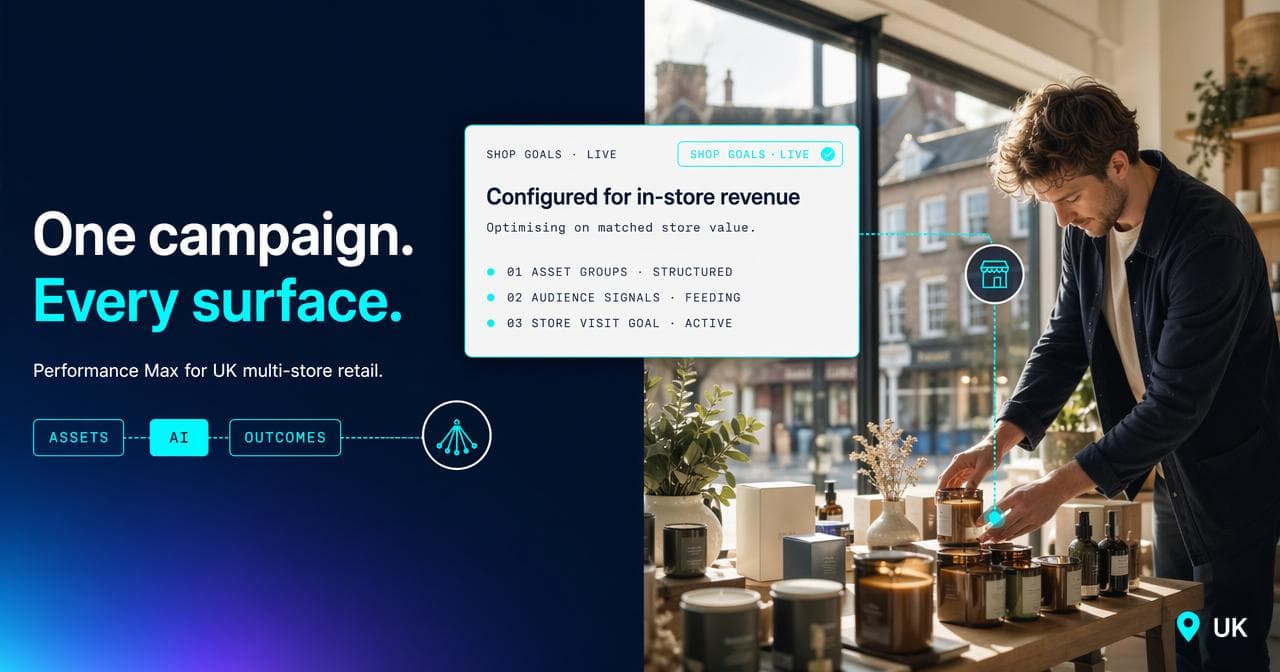
The second reason is that Performance Max is the only campaign type with a formal "shop goals" setting that tells Google the outcome you care about is a store visit, not an online conversion. That setting is what turns PMax from an e-commerce tool into a retail tool. It is also what most agencies leave switched off.
The store goals configuration, and what most setups get wrong
The shop goals setting changes what Performance Max optimises for. Under shop goals, the campaign promotes physical business locations across Search, Display, Maps, and YouTube so people discover shops when they are nearby and most likely to take action. That is the direct replacement for the old Local Campaigns, now absorbed inside PMax. Without it active, the campaign runs as a standard e-commerce engine regardless of what you intend.
Four misconfigurations come up again and again on UK retail account audits.
Shop goals setup: the four failure modes
-
Shop goals left off. The campaign runs, but Google optimises toward whatever conversion action is flagged primary in the account. If that is an online sale, PMax starves store-visit outcomes because they look less valuable in the data.
-
Shop goals on, but mixed with a primary online conversion action inside the same campaign. The algorithm cannot optimise to two outcomes at once. It picks the easier one.
-
Generic radius targeting instead of postcode-level targeting. A 20-mile radius around a shop in central Manchester overlaps with the radius around two other shops, and PMax has no signal to tell it which site to send footfall to.
-
Merchant Centre or Google Business Profile records that are stale. The shop goals configuration reads from both. If opening hours, stock, or addresses are wrong, smart bidding is misled from the first impression onward.
Asset group strategy for a multi-store estate
Asset groups are the unit inside PMax where the campaign learns. For a 30-300 shop retailer, the wrong structure starves learning. The right structure maps to how the business itself is organised.
Three practical splits work well:
By region. One asset group per region (Scotland, North, Midlands, South, London). Assets use regionally appropriate imagery where relevant, and audience signals are geographically loaded. This works best for retailers whose product mix is uniform but whose customer visual expectations shift by region.
By store tier. Flagship shops get their own asset group, with bigger budget allocation, longer video assets, and higher-production lifestyle imagery. Secondary locations share an asset group built on lighter-weight assets and the core Merchant Centre feed. This works for retailers who genuinely have a tier hierarchy and measurable performance differences between flagships and the rest.
By product range. Asset groups by category (menswear, womenswear, accessories; or cars, vans, motorbikes). This works when the retailer's categories pull meaningfully different audiences.
A practical rule: do not split asset groups until one of these axes is the actual driver of performance variance in the account. Over-segmentation starves learning more often than it helps. Start with one or two asset groups, look at the asset performance report after the 4-6 week learning phase, and split only when there is genuine signal.
Google allows up to 100 asset groups per campaign, so the ceiling is generous. The floor is patience during learning.
Feed requirements: three inputs, not one
A Performance Max campaign for retail draws from three distinct inputs, not one. CMOs typically hear about "the feed" as a single artefact, but in a multi-store context there are three layers, each doing a different job.
Merchant Centre primary feed. Product-level data: titles, descriptions, prices, images, GTINs, availability. This is the input for Shopping placements inside PMax.
Local Product Inventory Feed (LPIS). Per-shop stock and price overrides. This is the input that tells Google which specific shop has what, at what price, today. It is also the input that enables local inventory ads (the format that shows in-store availability directly in Shopping results) to run alongside PMax.
Google Business Profile records. Shop address, hours, phone, services. This is the input that powers the shop goals configuration and Maps placements.
Feed health is upstream of every PMax outcome. A campaign cannot outperform the feed that fuels it. BYLT's own rework of the Merchant Centre setup companion covers the mechanics in depth; the point for a CMO is that feed engineering is a first-order priority, not an IT ticket.
Local vs national: the campaign split rule
The biggest structural mistake in retail PMax is trying to cover both online-sales and store-visit goals with a single campaign. The algorithm optimises to one outcome, not two, and in a retail account that means online conversions win the bidding by default.
Split the activity into two campaigns:
National. Goal: Sales. Target: the full UK shipping footprint. Uses the primary Merchant Centre feed. This is the e-commerce engine.
Local. Goal: Local Store Visits. Target: postcodes or named-location clusters around each shop. Uses the LPIS feed. This is the online-to-offline engine.
The two overlap slightly on branded search and some category terms. That overlap is the point at which cannibalisation controls apply: account-level negatives, brand exclusions, and giving Standard Search priority for exact-match branded queries (source: https://www.crealytics.com/blog/why-should-retailers-and-dtc-brands-use-google-performance-max-for-growth).
The cleaner the separation, the more clearly each campaign reports against its own goal, and the easier quarterly budget reallocation becomes.
Measurement: the PMax + Store Visits + Offline Conversions triangle
Without a properly wired measurement stack, Performance Max is an optimisation loop pointed at the wrong outcome. Three components need to be live before the campaign starts spending seriously.
Component one: Store Visit Conversions (Google's modelled visit data, available at the account level once eligibility thresholds are met) turned on at the account level. This is the first-pass signal that tells smart bidding a visit occurred.
Component two: Offline Conversion Tracking (the process of sending point-of-sale or CRM transaction data back into Google Ads as a conversion event, with a value assigned to each sale). This is the layer that lets PMax bid toward real store revenue, not just modelled visits. See offline conversion tracking for UK retailers for the full setup process.
Component three: conversion action priority set correctly inside Google Ads. Store Visit Conversions and Offline Conversion Tracking should be primary for the Local campaign. Online sales should be primary for the National campaign. Mixing them inside one account without priority settings flattens the signal across both.
Together, this triangle tells Performance Max which clicks, which audiences, and which asset combinations deliver pound-for-pound in-store value. Without it, the campaign is guessing.
If you want a second pair of eyes on the triangle before you scale spend, book a working session via the Calendly link in the author bio.
When Performance Max for retail is NOT the right fit yet
Three clear conditions indicate PMax is the wrong tool today, and a Standard Shopping plus Local Campaigns structure is the better interim move.
Fewer than roughly three conversions per day at the account level. The algorithm cannot learn from sparse signal. Drive baseline volume first.
No working Store Visit Conversions or Offline Conversion Tracking. Without the measurement triangle in place, PMax optimises to online outcomes only. That is the wrong answer for a retail estate.
A Merchant Centre or LPIS feed with known data quality issues. Fix the feed first. PMax launched on a broken feed will bid, spend, and mislead.
In each case, the answer is sequencing, not skipping. Build the base, then deploy PMax when it can actually learn. If you are looking for a retail marketing agency that handles the sequencing and measurement foundation as part of the engagement, that is how BYLT structures every retail account.
Sources.
- Why retailers and DTC brands should use Google Performance Max for growth — Crealytics (accessed April 2026)