Most Google Ads accounts at UK multi-store retailers are bidding blind. The campaigns report clicks and online conversions, but for a retailer where 70-80% of revenue happens in-store, those signals cover a fraction of actual business outcomes. Smart Bidding optimises for what you feed it. If offline revenue never enters the system, the algorithm makes the wrong bets.
Offline Conversion Tracking (the umbrella term for the three Google Ads mechanisms that bring in-store transaction data back into your account and close the attribution loop between ad spend and in-store revenue) closes that gap. Without it, automated bidding in a multi-store account is operating on incomplete data.
This guide is for the marketing director or CMO deciding whether to invest in that infrastructure, not for the analyst setting up GCLID form fields. The wider O2O measurement stack sits inside the retail marketing in 2026 guide. This article focuses on Google Ads Offline Conversion Tracking: the three tools, which applies to which retail scenario, and what the data enables once it flows.
UK multi-store retailers running Google Ads without Offline Conversion Tracking are feeding the algorithm incomplete data. Smart Bidding strategies like Target ROAS can only optimise for what they receive: if in-store revenue never returns as a conversion signal, the algorithm deprioritises the queries, locations, and audiences that actually drive your footfall. Google provides three distinct tools to fix this: Store Visit Conversions (automatic, probabilistic, no data upload required), Store Sales imports (deterministic, POS-matched, revenue-level precision), and Enhanced Conversions for Leads (for retailers where digital lead forms precede in-store purchase). Each serves a different part of the retail attribution problem. Getting all three in place, in the right sequence for your retail model, is the single highest-impact change you can make to how a multi-store Google Ads account allocates budget.
Why Smart Bidding needs offline signals to work in a physical retail account
For a UK retailer where most revenue is in-store, running Smart Bidding without Offline Conversion Tracking means the algorithm is optimising on the wrong outcomes. Every in-store sale that never returns to Google Ads as a conversion event teaches the algorithm the wrong lesson.
Google's automated bidding strategies, Target ROAS, Maximise Conversion Value, Target CPA, make bid adjustments in real time based on the signals you send back. For a multi-store retailer, the most important signals are offline: someone clicks an ad, visits a store, and buys something. If that transaction never returns to Google Ads as a conversion event, the algorithm treats that click as a failure. It bids less on the queries, locations, and audiences that drove the visit.
"Without proper integration, we wouldn't know which products customers bought in store." (source: https://www.lunio.ai/blog/google-ads-local-campaigns) The same gap shows up across most retail accounts I audit. The tracking code fires on the website. In-store revenue never comes back.
Fixing it requires choosing the right Google measurement tool for your retail model. There are three, and they serve different scenarios.
The three Google Ads OCT tools for physical retail
Google provides three distinct mechanisms for bringing offline conversion data into an Ads account. Most retailers know one of them. Each measures a different event in the customer journey, and using the right tool for your retail model determines how much of your in-store revenue actually reaches the bidding algorithm.
Tool 1: Store Visit Conversions
Store Visit Conversions (Google's probabilistic attribution model that estimates whether an ad clicker subsequently visited one of your physical store locations, using aggregated GPS and location history signals) requires no data upload from you.
When someone clicks your ad, Google uses GPS signals, WiFi proximity data, Google Maps usage, and opted-in location history to estimate whether that user visited one of your physical stores. (source: https://support.google.com/google-ads/answer/6100636)
You import nothing. Google calculates the estimate and reports it automatically as a conversion action. This is directional measurement: Google models visits from anonymised, aggregated signals and does not show individual user journeys.
Eligibility requirements are substantial: a verified Google Business Profile for every trading location, active location extensions, and sufficient click volume are the core conditions for your account to qualify. (source: https://support.google.com/google-ads/answer/14874209)
The limitation is that Store Visit Conversions cannot attribute revenue, only a probabilistic visit estimate. For bidding, you assign a value per visit action in your conversion settings (typically your average in-store order value), and Smart Bidding factors that into its optimisation.
Tool 2: Store Sales (POS import)
Store Sales is a deterministic attribution method. You export transaction records from your POS system, match them back to the GCLID (Google Click ID) stored at the point of ad click, and upload the matched revenue data to Google Ads. (source: https://support.google.com/google-ads/answer/9994849)
Rather than a probabilistic visit estimate, Google receives an actual transaction with a revenue value. Smart Bidding can then optimise directly for in-store revenue rather than a visit proxy.
The implementation requires your POS or CRM to capture and store the GCLID from the ad click, and a mechanism to export matched records on a regular schedule. Google accepts both manual CSV upload and an automated API feed. (source: https://support.google.com/google-ads/answer/7012522) The GCLID expires after 90 days, so upload cadence matters, particularly for retailers with longer purchase cycles.
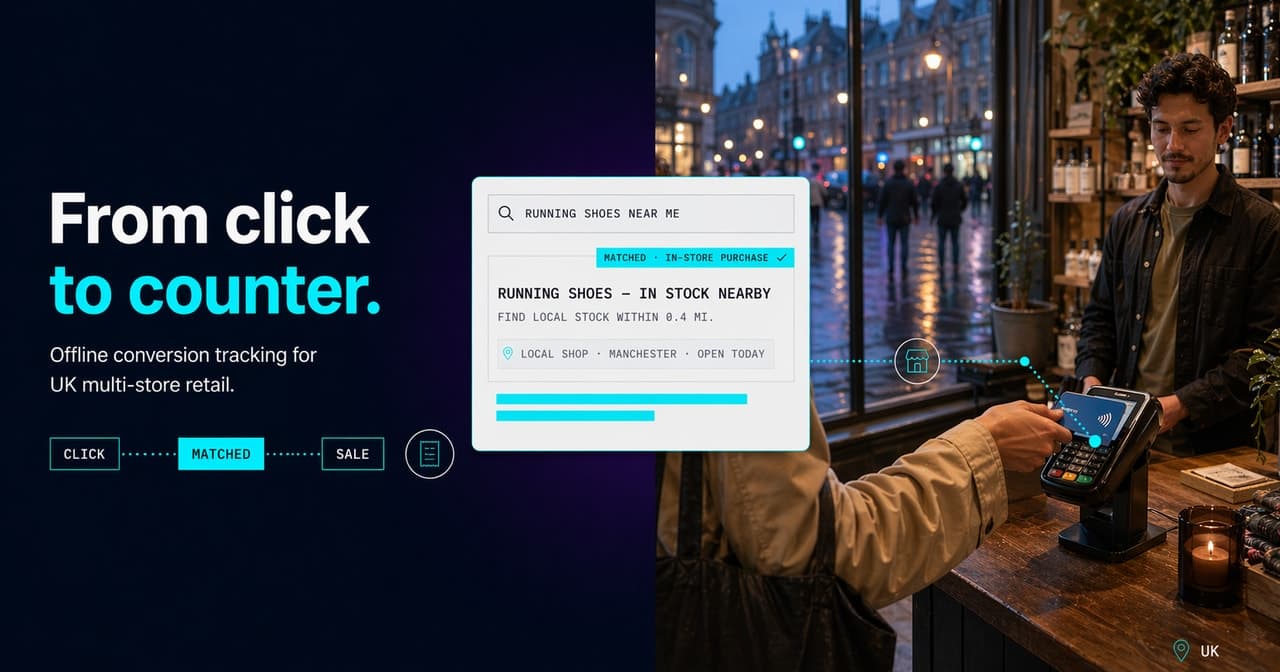
Store Sales import is the tool that tells Google exactly how much in-store revenue each campaign generated — the till record is matched to the original click by GCLID and timestamp, and the revenue figure feeds bidding directly.
Tool 3: Enhanced Conversions for Leads
Enhanced Conversions for Leads (ECL) applies where the path to in-store purchase runs through a digital lead: finance applications, test drive bookings, kitchen design appointments, consultation enquiries. The customer submits a form online, but the revenue is realised in-store days or weeks later.
ECL takes hashed first-party data from the lead form and matches it back to the Google profile associated with the original click. (source: https://support.google.com/google-ads/answer/15713840) When the lead converts in-store and you upload that transaction, Google closes the attribution loop through the hashed identity match.
For automotive retail groups, furniture retailers with design consultations, and retailers offering consumer finance, ECL is often where attribution closes on the highest-value transactions in the account.
Sequencing the three tools for your retail model
The right order of implementation depends on your data infrastructure, not on which tool is most technically impressive. Most established multi-store accounts end up using all three, but for different transaction types.
The three tools are not mutually exclusive. Most established multi-store accounts use all three for different transaction types. The practical rollout order:
-
Start with Store Visit Conversions. No data integration required. It gives immediate directional visibility and lets you begin assigning value to store visit actions in Smart Bidding. Probabilistic data is better than no offline signal. If your Google Business Profile estate is verified and your campaigns have sufficient volume, this can go live within days.
-
Add Store Sales import once your POS or CRM team can support GCLID capture. This shifts Smart Bidding from guessing at offline value to knowing it. It is the single highest-impact change you can make to how a retail Google Ads account allocates budget. Expect a 4-8 week setup timeline depending on your POS architecture.
-
Layer Enhanced Conversions for Leads if your product category involves a pre-purchase digital lead. The question to ask: are there high-value transactions in your account that currently appear as failed clicks because the lead form and the in-store purchase are not connected? For carpet retailers, furniture retailers, and supplement e-commerce brands with physical stores, this is often where the largest attribution gap sits.
What the data enables in automated bidding
Once Offline Conversion Tracking data enters Google Ads, the bidding algorithm stops operating on a fraction of your revenue picture. The material change is not the reporting. It is what Smart Bidding does differently with complete signals.
Once offline conversion values enter Google Ads, Smart Bidding shifts from optimising for online conversion rate to optimising for combined online-plus-offline conversion value.
For a multi-store retailer running Target ROAS, this changes which queries, locations, and audiences receive higher bids. A campaign that looks underperforming on online-only metrics may be driving significant in-store revenue from mobile local searches. Without offline data, that campaign gets cut. With it, it gets scaled.
"Google's store visit conversions give directional data, but to get more granular insights: integrate POS or CRM data, send offline conversions back to Google Ads, assign values to store visit conversions based on average order value." (source: https://www.lunio.ai/blog/google-ads-local-campaigns) That integration sequence also unlocks Performance Max for retail store goals bidding, where Performance Max (Google's fully automated campaign type that serves across Search, Display, YouTube, Shopping, and Maps simultaneously) campaigns optimise directly towards in-store visit and sales objectives.
The same OCT signals feed local inventory ads UK performance. Google can factor observed in-store conversion patterns into which location it surfaces to which user, rather than relying on assumed catchment areas.
"By tracking store visits, you can optimize campaigns not just for online conversions, but for total business impact." (source: https://www.lunio.ai/blog/google-ads-local-campaigns)
Common implementation failures at scale
The biggest OCT failures at multi-store retail accounts are not technical configuration errors. They are data pipeline and process failures that degrade signal quality until Smart Bidding stops trusting the data.
The technical setup is only part of the challenge. These are the failure modes that prevent data from flowing reliably in a multi-store account.
GCLID not persisting through the purchase journey. GCLID must pass from the landing page URL into your POS or CRM record at checkout. If it does not, match rates on Store Sales imports will be poor. A match rate below 30% produces data too sparse for Smart Bidding to act on. (source: https://support.google.com/google-ads/answer/15081888)
Unverified Google Business Profile listings. Store Visit Conversions depend on verified GBP entries for every trading location. Retailers that have opened new locations or rebranded stores often have unverified entries that block eligibility. Audit your GBP estate before attributing low store visit volume to campaign underperformance.
Irregular upload cadence. Uploading POS data weekly instead of daily creates gaps in the bidding signal. Smart Bidding requires recent conversion data; stale uploads reduce its accuracy.
Over-relying on Store Visit Conversions alone. Probabilistic data is a valid starting point, not a destination. The account needs a clear path to Store Sales import.
Sources.
- Google Ads local campaigns playbook — Lunio (accessed April 2026)
- About Store Visit Conversions — Google Ads Help (accessed April 2026)
- Store visits eligibility requirements — Google Ads Help (accessed April 2026)
- About Store Sales conversions — Google Ads Help (accessed April 2026)
- Format your offline conversion data for upload — Google Ads Help (accessed April 2026)
- Enhanced Conversions for Leads — Google Ads Help (accessed April 2026)
- Improve match rates for offline conversion uploads — Google Ads Help (accessed April 2026)
- About consent for Enhanced Conversions — Google Ads Help (accessed April 2026)