Local Inventory Ads (Google Shopping's format for surfacing real-time in-store stock to nearby shoppers) are one of the most underused formats in UK retail advertising. Most guides are written by feed-management SaaS vendors for ecommerce ops teams. If you are the CMO signing the Google Ads budget, you need the business case and the measurement framework, not another technical setup checklist.
This article covers the strategic case for Local Inventory Ads, setup for a UK multi-store estate, and how LIA clicks connect to in-store visits via Store Visit Conversions. Part of our retail marketing in 2026 series on retail marketing in 2026.
If you searched for "LSAs" and landed here: Local Service Ads are a different format for service businesses. This article is about Local Inventory Ads (LIAs). Full disambiguation below.
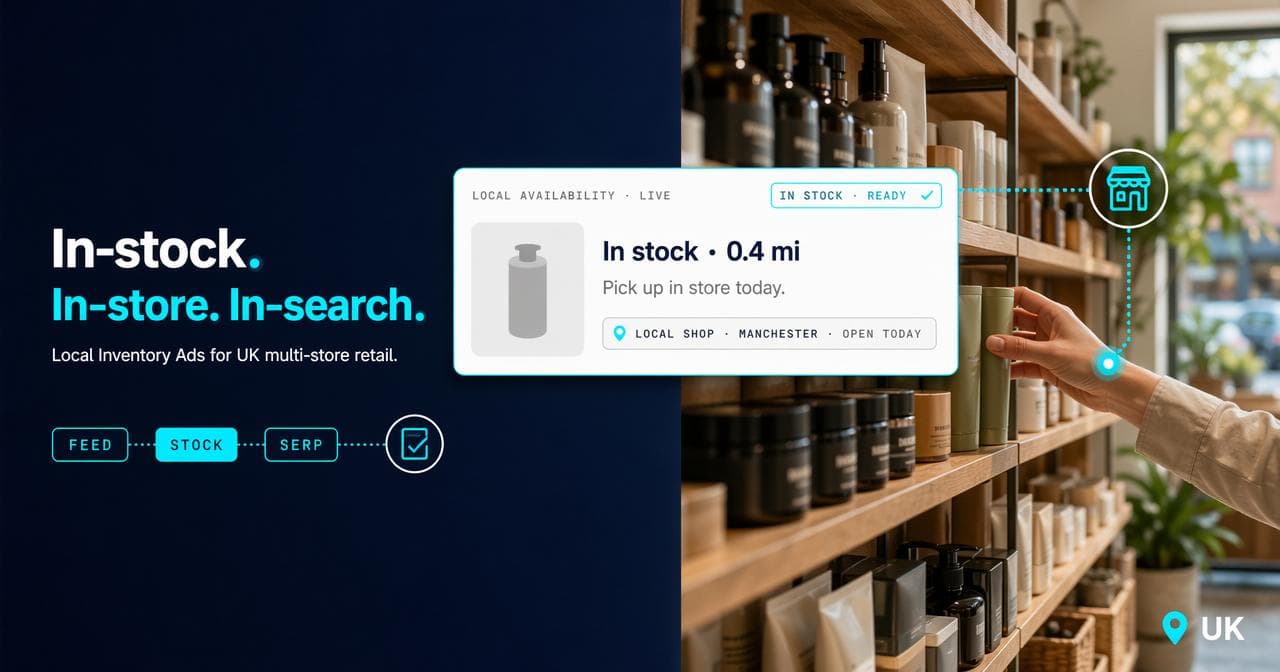
Local Inventory Ads are a Google Shopping format that surfaces your in-store stock to nearby shoppers in real time. For UK multi-store retailers, they turn existing inventory into a paid media signal with no additional stock required. The setup involves three prerequisites (Merchant Centre, Google Business Profile, and Shopping or Performance Max campaigns), but the operational challenge at scale is feed governance: keeping your local product inventory feed accurate across every store location. When LIA clicks are connected to Store Visit Conversions and POS data, you close the attribution loop between ad spend and in-store revenue. No other format in Google Ads does that as directly. This guide covers the business case, the setup sequence, the PMax integration, and the measurement layer that most feed-tool guides ignore entirely.
Why Local Inventory Ads belong in your paid media budget
Retailers running Local Inventory Ads have a concrete advantage in the Shopping tab's local filter. When a shopper searches for a product and filters to "Available nearby," your ad surfaces if your store has stock. Without live local feeds, you are invisible in that filtered view regardless of bid.
The psychology of "I can get it today" is powerful. https://www.lunio.ai/blog/google-ads-local-campaigns Same-day purchase removes delivery wait, removes shipping cost, and removes the decision fatigue that online basket abandonment data captures. Google's own data shows a 21% increase in shop visits and a 9% increase in online conversions when Local Inventory Ads run alongside standard Shopping campaigns. https://support.google.com/merchants/answer/14615117
The CMO business case is straightforward: you already have inventory in your shops. The LIA format turns existing stock into a real-time ad signal rather than leaving it unannounced. https://www.lunio.ai/blog/google-ads-local-campaigns
LIA vs LSA: what each format actually does
The two formats share three letters and nothing else. Confusion appears in Google's own People Also Ask results, so the distinction is worth being clear on.
Local Inventory Ads (LIAs) are a Google Shopping format. They show product-level data from your Merchant Centre feed (Google's platform for managing your product catalogue and connecting it to Google Ads): product name, price, image, and a real-time stock status at your nearest store. When a shopper clicks, they either land on a Google-hosted local storefront page showing store availability, or on your own website's store-availability page if you have one built. LIAs are designed for product retailers.
Local Service Ads (LSAs) are a lead-generation format for service businesses. They appear at the top of Google Search results for queries like "plumber near me" or "electrician Edinburgh." They are pay-per-lead rather than pay-per-click. They do not use Merchant Centre. They are not relevant to retail.
Microsoft Advertising offers an equivalent format through Bing. https://help.ads.microsoft.com/apex/index/3/en/56858 This article focuses on Google given its dominant UK retail search share. https://gs.statcounter.com/search-engine-market-share/all/united-kingdom
The technical prerequisites: what has to be in place first
Three things must be working cleanly before a single Local Inventory Ad can serve. This is not a checklist to delegate to your feed tool. Each one requires active governance.
Merchant Centre is Google's platform for managing your product catalogue and connecting it to Google Ads. Your primary product feed lives here. For Local Inventory Ads you also need a local product inventory feed: a separate, regularly updated file telling Google what is in stock at each store location. https://www.lunio.ai/blog/google-ads-local-campaigns
Google Business Profile. Every store needs a verified, complete profile. The Merchant Centre local feed links products to store codes; those codes must match your Business Profile locations. A verification gap at one location means that location cannot serve Local Inventory Ads.
Shopping or Performance Max campaigns active. Local Inventory Ads do not run as standalone campaigns. They surface through your Shopping or Performance Max campaigns when the local product feed is connected.
The two local storefront options
A shopper clicking a Local Inventory Ad lands in one of two places. The Google-hosted local storefront is a Google page showing product, price, and in-store availability. Lowest implementation effort and the right starting point if your site lacks per-store stock pages. The merchant-hosted local storefront is a page on your own domain with real-time availability. It requires page build and a live inventory API, but keeps the customer on your domain and gives more control over the path to visit.
Local Inventory Ad setup for a multi-store UK retail estate
For a UK multi-store retailer, the setup sequence below applies whether you run 5 stores or 500. The steps are the same; the governance burden scales with estate size.
- Enable Local Inventory Ads in Merchant Centre settings.
- Create a business information feed (store codes, addresses, opening hours) and upload to Merchant Centre.
- Create a local product inventory feed listing product ID, store code, price, and quantity per location. Update daily at minimum; multiple times daily for fast-moving categories.
- Link Merchant Centre to Google Ads.
- In Shopping or Performance Max campaign settings, enable "Sell products in your stores" or the "Store visits" goal.
- Choose storefront type: Google-hosted or merchant-hosted.
- Set bid adjustments for local inventory where applicable.
Feed health is where most deployments stall. Mismatched GTINs, price discrepancies between the primary and local inventory feed, or missing attributes drop individual products or entire locations out of serving. Run feed diagnostics on the local product inventory feed separately from the primary feed. Feed errors kill Local Inventory Ad delivery.
Advanced Local Inventory Ad features: beyond the basics
Two additional features are worth activating once standard Local Inventory Ad delivery is working and your feed quality is stable.
Pickup Today and Pickup Later. These labels appear on your ad and storefront. "Pickup Today" signals same-day reservation and collection; "Pickup Later" covers longer click-and-collect windows. Both perform strongly where immediacy matters: consumer electronics, seasonal goods, home improvement. Click-and-collect adoption has climbed sharply in UK multi-store retail since 2020 and sits alongside home delivery as a default fulfilment option for most national chains.
On Display to Order. Surfaces products viewable in-store or available on special order even where stock is limited. Useful for furniture retailers, appliance retailers, and specialist sports equipment retailers.
Local Inventory Ads and Performance Max: the 2026 connection
Performance Max (Google's campaign type that delivers ads across Search, Shopping, Display, Maps, YouTube, and Discover from a single campaign) is the successor to Local Campaigns for retail. Connect your local product inventory feed to Merchant Centre and Performance Max automatically serves Local Inventory Ad formats as part of its multi-format delivery. Performance Max for retail
You cannot get full Local Inventory Ad delivery from Performance Max without the local product feed being live, accurate, and updated frequently. Feed health is a Performance Max input, not just a Shopping campaign concern. If Performance Max is running without a connected local feed, you are leaving local ad inventory on the table.
Performance Max also generates Store Visit Conversion data (a modelled count of ad-attributed physical store visits, tracked via GPS, Wi-Fi signals, and opted-in location history) when your account is eligible. A shopper who sees a Local Inventory Ad through Performance Max and then visits your store shows as a store visit conversion in reporting. That data feeds back into Smart Bidding, creating a system that improves at identifying which products and locations drive in-store visits over time.
Scaling Local Inventory Ads across a large store estate
The operational challenge at scale is feed governance, not bid strategy. Getting the campaign structure right matters; keeping the feeds accurate at volume is where retailers without a dedicated feed owner lose performance.
A 30-store estate is manageable with a daily batch upload. A 200-store estate with 10,000 SKUs per location needs a systematic approach. Three decisions drive how you structure it.
Regional segmentation. Running all stores in a single national campaign makes it hard to allocate budget to your best-performing locations. The right structure separates local campaigns (store-level or regional cluster) from national brand campaigns. https://www.lunio.ai/blog/google-ads-local-campaigns
Store-code governance. Every store code in your local product inventory feed must match a verified code in Google Business Profile. At scale this breaks when stores open, close, or rebrand. One unmatched code stops Local Inventory Ad serving for that location. Appoint a feed owner with access to both Merchant Centre and Business Profile.
Bid modifiers by store. Once Store Visit Conversion data is running, use it to adjust bidding. Locations generating more store visits per pound of spend should get higher budget. The postcode targeting tool we use at BYLT, built on Google Sheets and the Maps API, calculates real-world driving distances for each store catchment rather than relying on a radius circle. This stops budget going to stores where the bidding geography does not reflect how customers actually travel.
Measuring Local Inventory Ad performance: Store Visit Conversions and closing the attribution loop
Store Visit Conversions (Google's modelled measure of physical store visits attributed to ad clicks, using GPS, Wi-Fi signals near the store, Google Maps usage, and opted-in location history) give directional data, not exact counts. https://support.google.com/google-ads/answer/6100636 Google uses statistical modelling and does not report visits that cannot be attributed with sufficient confidence. The data is not a replacement for till receipts; it is a signal that lets you optimise toward physical store outcomes rather than online click volume alone.
To close the attribution loop, Store Visit Conversions alone are not enough. Connect POS data: assign a store visit value based on your average in-store transaction value, then import actual till sales via Google Ads Offline Conversion Tracking (the mechanism for importing sale events from your POS or CRM back into Google Ads, so your bidding reflects real revenue rather than clicks) or the Store Sales feature. When that integration is in place, your Local Inventory Ad clicks have a revenue line attached, not just a visit count. https://www.lunio.ai/blog/google-ads-local-campaigns
Without this integration, the Local Inventory Ad click sits unresolved. You know people clicked. You cannot prove they bought. offline conversion tracking
What good Local Inventory Ad performance looks like for a UK multi-store retailer
BYLT client data, 2025: We implemented the full Local Inventory Ad stack for a UK furniture retailer running 15 locations. That meant local/national campaign segmentation, postcode-based bid adjustments, and Store Visit Conversion attribution. The result was a 210% month-on-month increase in store visits. https://www.lunio.ai/blog/google-ads-local-campaigns https://www.lunio.ai/podcasts/google-ads-local-campaigns
Starting state: no local/national campaign split, inefficient radius targeting, Local Inventory Ads present but feed not updated daily. Intervention: segment campaigns, implement postcode targeting from real drive-time data, reallocate budget to high-converting locations, update local stock feeds twice daily.
Feed accuracy was the highest-leverage variable. Products live but suppressed by GTIN mismatches were silently draining delivery volume before bid strategy became the question. The same structure applies across DIY retailers, pet supplies, sports equipment, and automotive accessories retailers. https://www.lunio.ai/blog/google-ads-local-campaigns
Sources.
- Google Ads local campaigns playbook — Lunio (accessed April 2026)
- About Local Inventory Ads — Google Merchant Center Help (accessed April 2026)
- Local Inventory Ads (Microsoft Advertising) — Microsoft Advertising Help (accessed April 2026)
- Search engine market share, United Kingdom — StatCounter GlobalStats (accessed April 2026)
- About Store Visit Conversions — Google Ads Help (accessed April 2026)
- Google Ads local campaigns (podcast) — Lunio (accessed April 2026)