You open the Page indexing report, click into Not indexed, and near the top sits a line called Alternate page with proper canonical tag with a count next to it that could be forty or could be four thousand. Nothing in the interface tells you whether that number is fine. So most people do one of two things: start clicking Request Indexing on every URL in the sample list, or shrug and close the tab, and neither response is based on anything they actually checked.
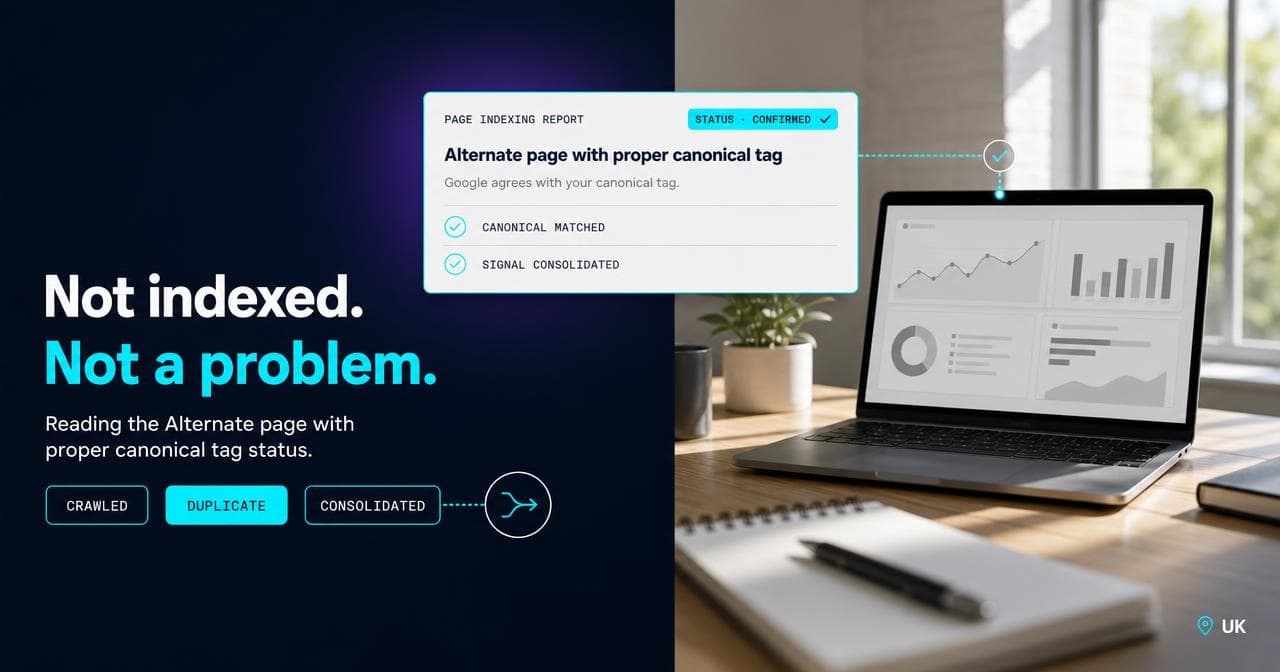
Alternate page with proper canonical tag is a status in Google Search Console's Page indexing report (the tool showing which URLs are indexed and why the rest aren't) telling you that Google found this page, treated it as a duplicate of another URL, and agrees with the canonical tag pointing there. It sits under Not indexed, but it isn't an error: it means canonicalisation is working. On a real catalogue, seeing this on colour and size variants, filtered category pages, and tracking-parameter duplicates is expected and not worth touching. It becomes a genuine problem in two specific situations: the canonical target itself isn't indexed either, or your own canonical tag is routing a page you actually want ranking somewhere it shouldn't be. This article covers what the status means, why Google's own documentation still describes it in AMP terms when it shows up everywhere, the ecommerce-specific causes, how to check which situation you're in, and the failure mode of chasing indexation on pages that were never going to be indexed on their own.
If you've just opened Search Console, spotted this label sitting on hundreds of URLs, and can't tell from the report alone whether it's a problem, that's the exact situation this piece works through. It's a diagnostic guide for reading one status correctly, not a general tutorial on how to set canonical tags in the first place.
What the status actually means
The Page indexing report splits every URL Google knows about into Indexed and Not indexed, and Not indexed is a list of reasons, not a list of faults. Alternate page with proper canonical tag is one of those reasons. It means Google crawled the URL, decided it was a duplicate or alternate version of another page on your site, checked the canonical tag on it, and agreed with where that tag pointed.
The consequence is that this specific URL doesn't get its own entry in the index. Its ranking signal, links, and relevance instead consolidate into the canonical target. That is the entire mechanism of canonicalisation doing what it was built to do: stop near-identical pages competing with each other and pool their strength into one URL.
This sits in a different category from things like server errors, redirect errors, or 404s submitted in a sitemap: those are genuine crawl or serving problems, this one isn't.
Why Google's own documentation still talks about AMP
If you go and read Google's help page for this status, the definition is narrower than the real-world behaviour: it describes the page as marked as an alternate of another page in the specific sense of an AMP page with a desktop canonical, or a mobile version of a desktop canonical. Plenty of sites reading that definition have never touched AMP and still see thousands of these, which is exactly where the confusion in most Search Console threads comes from.
In practice, the underlying mechanism doesn't care why two pages are duplicates. Whether the pair is an AMP page and its desktop original, or a product page and its blue variant, the check is the same: does the canonical tag on this URL point somewhere Google also thinks is correct. The label got generalised to cover every case that mechanism handles, and the documentation wording never fully caught up.
The ecommerce causes worth knowing before you react
On a catalogue-driven store, four things generate most of the volume on this row.
Colour and size variants. Platforms that give every variant its own URL, whether through a query parameter or a distinct path, almost always canonicalise the variant back to the base product page.
Filtered and faceted category URLs. Layered navigation on a category page (filter by price, by stone, by size, by whatever the attribute set is) produces a URL for every combination a shopper can build, and those normally canonicalise back to the unfiltered category. On the Magento catalogue I run SEO for, this is consistently where the bulk of the count sits.
Tracking parameters. UTM tags, click IDs, and session parameters appended to an otherwise identical URL. These should reliably canonicalise to the clean version.
Pagination. This one deserves its own line because it can go either way. Current guidance is that each page in a paginated series should self-canonicalise, page 2 pointing to itself rather than back to page 1. A platform still canonicalising every paginated page to page 1 will hide pages that were meant to be crawlable and indexable in their own right, which is a genuine miss rather than the mechanism working correctly.
When this status is exactly what you want to see
For the first three causes above, seeing this label is the healthy outcome, not a warning sign. If the canonical target is indexed and ranking, the variant, filtered, or tracking-parameter URL not getting its own listing is Google protecting the site from diluting its own ranking signal across dozens of near-identical pages. It is also, incidentally, one of the things that keeps a large catalogue from reading as thin or duplicated content to Google's broader quality systems, which matters more than any single indexing label.
I went headless on Periodico's storefront partly for this reason: past a handful of categories, letting a theme layer decide how collection pages render and canonicalise is how a store ends up with thousands of these without anyone choosing that outcome deliberately.
The two situations that make it a real problem
First, the canonical target itself is not indexed. If Google agrees your variant page should canonicalise to the parent product, but the parent product isn't indexed either, fix the parent's indexability. The variant's alternate status was never the problem.
Second, your own canonical tag is misrouting a page you genuinely want ranking. In my experience this is the more common of the two, showing up on three specific URL types: a variant that carries real, distinct search demand (a specific size or colour people search for directly, not just browse to), a filter combination with meaningful volume of its own (a category plus one attribute, rather than a random three-way combination nobody searches), or a paginated page wrongly folded back to page 1. In each case the fix is at the source, the canonical tag or the platform rule generating it, not at the excluded page.
How to check which one you're in
Pull a handful of sample URLs from the report row and run each through URL Inspection. Compare the user-declared canonical against the Google-selected one: they should match. Then inspect the target URL on its own and confirm it says the URL is on Google. If both check out, leave it alone. If the target isn't indexed, or Google's chosen canonical disagrees with yours, that's the pair worth spending time on. The full sequence is in the how-to above.
The failure mode: the indexation wild goose chase
This exact screenshot is what usually brings a client to us, and the panics cluster after Google announces a policy or documentation change, when every count in the report suddenly looks sinister: a count in the thousands reads as a site-wide indexing failure, and someone spends weeks clicking Request Indexing through the sample list, one URL at a time. It doesn't work, because Request Indexing asks Google to recrawl and reassess, not to override a canonicalisation decision it has already made correctly. The page comes back with the same status, the daily request quota gets burned on pages that were never meant to be indexed separately, and the actual site health is unchanged, because there was nothing broken to begin with.
The tell that you're in this failure mode: if fixing it would mean giving every colour variant, every filter combination, and every tracking-parameter duplicate its own indexed page, that isn't a fix, it's undoing the canonicalisation that was protecting the site from duplicate content in the first place.
Fixing the pages that are actually wrong
Where the canonical target isn't indexed, treat that as its own investigation: check for an accidental noindex, thin or duplicated body content, or the page being orphaned from internal navigation so it rarely gets crawled. None of that is fixed by touching the variant that points to it.
Where your own canonical tag is misrouting a page with real demand, correct it where it's generated, in the platform template or the faceted navigation rule, rather than trying to force the excluded page into the index directly. Once the tag points correctly, the status on that URL resolves itself on the next crawl.
When to leave it alone
On a catalogue of any real size, hundreds or low thousands of these is structurally normal, and getting the count to zero is not a sensible goal. Doing so would mean either stripping out canonical hygiene that's actively protecting the site, or making every variant and filter combination its own indexed page, which usually dilutes rankings rather than improving them. What matters is whether the canonical targets are indexed, not the count sitting on this row.
If you're auditing a catalogue more broadly rather than one status in isolation, our ecommerce SEO audit checklist covers where canonical checks sit inside a full technical pass, and if the platform itself is generating the miscanonicalised URLs, what you can and can't control on Shopify or Magento's platform limits go into which fixes are template-level and which need a developer. For ongoing technical SEO on a live store, that's what our SEO service covers.
Sources.
- Page indexing report - Search Console Help — Google Search Central (accessed August 2026)
- Consolidate duplicate URLs — Google Search Central (accessed August 2026)