Performance Max hides something that matters more than any bidding setting: it pools Search, Shopping, Display and video spend into one budget and one automated decision, so a store's own brand name can end up counted as new revenue. Pull the search terms report on the accounts I audit and you'll find queries that were already converting through organic and branded Search, now routed through a Shopping or Search asset inside Performance Max and reported as incremental demand. The algorithm did not find new customers there. It found the cheapest conversion available, a shopper already typing your brand name, and bid on it first.
Performance Max (Google's automated campaign type that pools Search, Shopping, Display, YouTube, Discover, Gmail and Maps spend into a single budget, with Google's own algorithm making every bidding decision) works well for online stores with a clean product feed and enough conversion history to give the algorithm something to learn from. What it costs you is control: keyword-level bidding, channel toggles and exact per-combination reporting all get handed to Google's automation. This article covers what Performance Max actually replaced, why the feed matters more than any campaign setting, what reporting you keep and what you lose, how it quietly eats into brand search if left alone, how much conversion volume it needs, how to structure campaigns so it isn't fighting your own catalogue, and when it is the wrong tool for a store to run at all.
If you run paid media on an online store, in house or through an agency, and you're either running Performance Max already or being pitched it as the obvious next move, this is a decision guide, not a setup walkthrough. I'm not taking you through the campaign wizard, I'm telling you what the wizard doesn't. If you're running a multi-location retail estate rather than a single online catalogue, the calculus is different: see Performance Max for UK retail for the shop-goals version of this decision.
What Performance Max actually is, and what it replaced
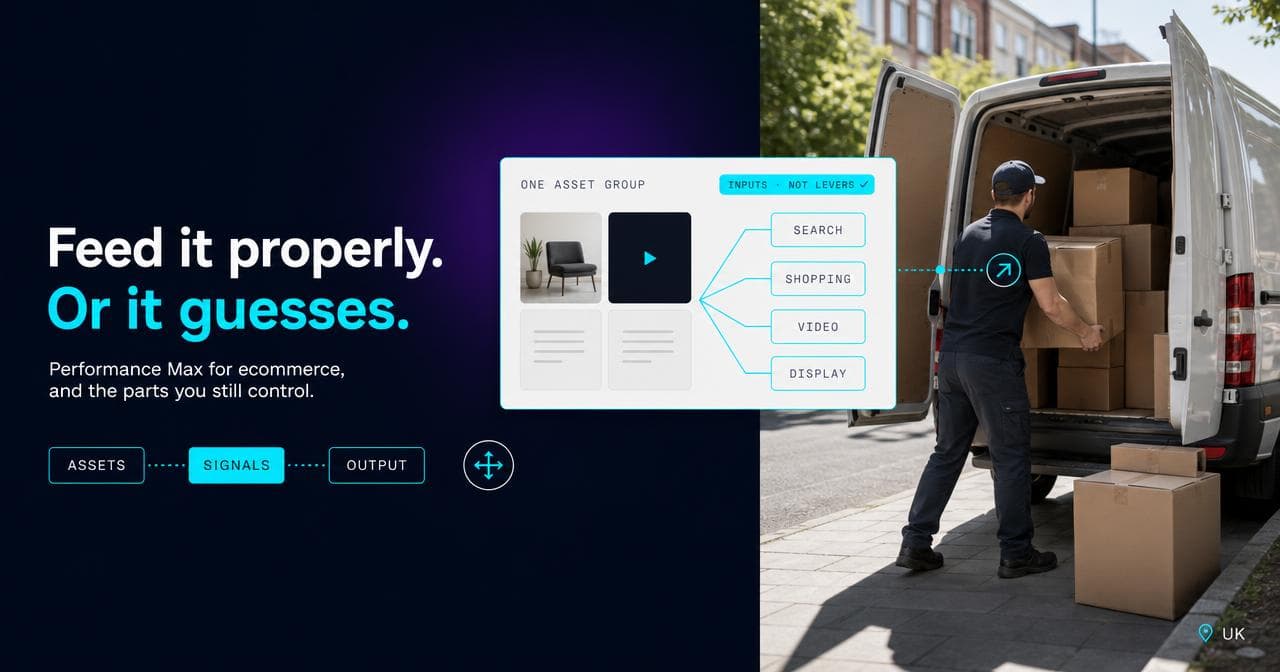
Performance Max is a single campaign type that draws on Search, Shopping, Display, YouTube, Discover, Gmail and Maps inventory, spends from a single budget, and hands every bidding decision to one automated engine chasing one conversion goal. For an online store, the more useful way to understand it is by what it replaced: Smart Shopping campaigns, which Google retired and automatically upgraded into Performance Max between April and September 2022. If your Google Ads history runs further back than that, Performance Max is not a new tool bolted onto Shopping ads. It's Shopping ads, with the same mechanics I cover in how Google Shopping ads actually work, with Search, Display and video inventory folded into the same bidding decision.
That history matters because it explains what the campaign is actually optimising. Smart Shopping already automated bidding against your product feed. Performance Max kept that core and widened the inventory it's allowed to spend on, which is why the feed, not the campaign settings, is still the thing that decides whether it works.
The feed is the real lever, not the campaign settings
Nearly every Performance Max account I've looked at, whether it's live client work or a one-off audit, has the same tell: the person running it spends their time in asset groups, audience signals and target ROAS, and almost none in the Merchant Center feed that's actually generating the Shopping ads driving most of the conversions. Google's own product data specification lists title, image, price, availability and, for most categories, brand and GTIN as required or conditionally required fields. None of that is a campaign setting. It sits upstream of Performance Max entirely, and Performance Max cannot fix it.
A feed with generic, copy-pasted titles, stock photography in place of real product images, or prices that lag the live site by even an hour gives the algorithm worse raw material to match against real search queries, and I have never seen asset-group tuning inside the campaign make up for it. On Periodico, the headless Shopify storefront I built, the product feed runs as its own workstream rather than a side effect of the theme, because the same catalogue accuracy that keeps Google's Shopping matching honest is what keeps the storefront's own collection pages honest too. If products are getting disapproved in Merchant Center or the feed is shipping stale attributes, that's the fix to make before touching a single Performance Max setting; I've covered the failure modes separately in why product feeds get disapproved.
What reporting actually gives you, and where it stops
Performance Max used to be fairly criticised as a black box: no search terms, no placement report, no channel split. Most of that complaint is out of date now. Search terms insights started carrying actual query data in 2023, and through 2025 Google rolled out a full search terms report for Performance Max with the same granularity Search and Standard Shopping campaigns get, replacing the loose thematic buckets the insights panel used to show. Channel-level reporting followed in January 2026, showing impressions, clicks, conversions and cost split by Search, Shopping, Display, YouTube, Discover, Gmail and Maps. I check both reports on every Performance Max account I audit now, because together they're the closest thing to proof of whether a channel is finding real demand or just relabelling it.
What that reporting doesn't give you is control. You can see which channel converted, after the money is spent; you can't set a different bid for it, and there's no direct toggle to switch a channel off inside the campaign. In the accounts I run, the practical way to keep a channel out of Performance Max isn't a settings switch. It's withholding the asset type that channel needs: no video assets means no meaningful YouTube presence. Placement exclusions work the same indirect way, applied through account-level shared lists rather than inside the individual campaign. Asset performance still shows as Low, Good or Best relative to the rest of the asset group rather than an exact conversion count per combination, and the combinations report surfaces only the top handful, not every pairing you've fed it.
That's the trade: real visibility into what happened, not the ability to decide it in advance. Standard Shopping with manual placement and bid controls still gives you that control, at the cost of the extra reach Performance Max finds automatically.
Brand cannibalisation: the failure that hides inside a good ROAS number
Performance Max is rewarded for finding conversions cheaply, and nothing is cheaper or more reliable than a customer already typing your brand name. Left alone, it bids on branded queries alongside any dedicated brand Search campaign, wins some of that traffic, and reports it as incremental performance. The account-level ROAS looks better. The actual new demand the campaign found is smaller than the topline number suggests, because some of what it's "finding" was already going to convert.
Two controls handle this, and both are native to the platform rather than a workaround. Brand exclusions, set directly inside Performance Max campaign settings, stop the campaign serving Search and YouTube search ads on branded queries you list, with a separate toggle for whether Shopping ads are still allowed to show for those same terms. Running a Standard Search campaign on exact-match brand terms alongside Performance Max, given priority in the auction, keeps branded traffic under your own bidding rather than the automation's.
The number I watch afterwards isn't the account-level ROAS at all. It's branded search volume against branded conversions, before and after Performance Max launches. If branded conversion count barely moves while the reported campaign ROAS jumps, the campaign has mostly relabelled existing demand rather than found new demand.
How much conversion volume it needs before it can learn
Performance Max, like every Smart Bidding strategy, needs a run of real conversions to build a model of what a good outcome looks like. In the accounts I run, that's roughly three conversions a day at the account level before the campaign has enough signal to bid sensibly rather than guess. Below that, results stay noisy for weeks, not because the campaign is broken but because there isn't enough data for the model to separate a genuine pattern from chance.
A store already hitting that volume from any channel is a reasonable Performance Max candidate. A store launching Performance Max as its first serious paid channel, with no conversion history anywhere in the account, is asking the algorithm to learn and perform at the same time, and it will do neither well for the first few weeks. The steadier move there is to run Standard Shopping first, build real conversion history, then move to Performance Max once that volume genuinely exists.
Structuring campaigns so it isn't fighting your own catalogue
A single Performance Max campaign optimising to one target ROAS across an entire catalogue treats a low-margin accessory and a high-margin hero product as the same kind of conversion. The algorithm happily spends budget chasing the cheap, high-volume item because it clears the ROAS target easily, while the product that actually matters to the business gets a smaller share of spend than it deserves.
Splitting campaigns by margin tier, product category or price band, each with its own target, fixes this without giving up any of the automation. It costs you nothing Performance Max was providing in the single-campaign version, because one average target was never going to reflect the real economics of a mixed catalogue anyway. Custom labels in the Merchant Center feed are the mechanism I use for this: label products by margin band or launch status in the feed, then build campaign or asset-group structure around those labels rather than around arbitrary category names.
When Performance Max is the wrong tool for an online store
Three conditions rule it out, at least for now.
Too little conversion history. Under the volume the algorithm needs to learn, Performance Max is guessing, not optimising, and a simpler campaign type with your own bidding logic will outperform it for as long as that stays true.
A feed that can't differentiate the catalogue. If most products share near-identical titles, images or descriptions, no bidding strategy I've seen fixes that. The fix is the feed, and Performance Max should wait until it's done.
A funnel where the first purchase isn't the real value event. Subscription businesses, high-consideration purchases with long research windows, or stores where first-order value understates lifetime value all need value-based conversion signals fed in deliberately. Hand Performance Max a flat purchase signal and it optimises toward whatever converts fastest and cheapest, which is rarely the customer worth the most over time.
None of these rule Performance Max out for good. Fix the feed, build the conversion history, or fix the value signal, and it's worth revisiting. A temporary condition isn't a reason to write off the whole channel.
In my experience, the Performance Max accounts that get real incremental revenue from it are the ones where the feed, the conversion history and the brand controls were sorted before launch, not patched afterwards. If you're not sure your store meets that bar yet, that's exactly the kind of check our paid search team runs before recommending the switch.
Sources.
- About Performance Max campaigns — Google Ads Help (accessed August 2026)
- Learn more about Smart Shopping and Local campaign upgrades to Performance Max — Google Ads Help (accessed August 2026)
- Apply brand exclusions to Performance Max or Search campaigns — Google Ads Help (accessed August 2026)
- About the search terms report in Performance Max — Google Ads Help (accessed August 2026)
- About asset group reporting for Performance Max — Google Ads Help (accessed August 2026)
- Introducing channel-level reporting for Performance Max campaigns — Google Ads Developers Blog (accessed August 2026)
- Product data specification — Google Merchant Center Help (accessed August 2026)