A WordPress site with a taxonomy of 40 to 60 tags and a habit of applying six to eight of them to every post can end up with several hundred archive pages, most holding one to three posts, all competing on the same handful of phrases as the actual product or service page. Nobody built that on purpose. It happened because tagging felt like a content decision, not a technical one, and WordPress will happily generate a crawlable URL for every combination without asking first.
WordPress hands you close to full control over the things that actually move search performance: URL structure, page titles, meta descriptions, canonical tags (the link on a page that tells search engines which URL is the authoritative version when near-duplicates exist), and what gets indexed at all. That control is also the trap. Almost every SEO problem on a WordPress site is a configuration decision someone made, often without realising it, not a limit of the software. This article covers permalinks, category and tag archives, attachment pages, pagination, canonicals and meta tags, multilingual sites and hreflang, Core Web Vitals, and staging sites left indexable by accident.
If you have inherited a WordPress site, the job here is working out, quickly, which of its SEO problems are self-inflicted and which are genuinely out of your hands. It is a diagnostic guide, not a plugin tutorial.
Almost everything is configurable, which is the actual problem
WordPress core ships with no fixed page structure, no hard limit on categories or tags, and no forced template system. Compare that with a hosted platform where the URL pattern for a product page simply is not editable: you accept it or build around it. WordPress has no such ceiling. Almost everything is a setting, a theme choice, or a plugin decision.
That is good news framed correctly: nothing on the technical SEO side is permanently out of reach. It also means the site's problems are rarely the platform's fault. In the audits we run, sites that rank well and sites that do not are frequently running identical software, sometimes the same theme. The difference sits entirely in what got configured, and what got left on its defaults.
Permalinks: the one setting that gets expensive if you wait
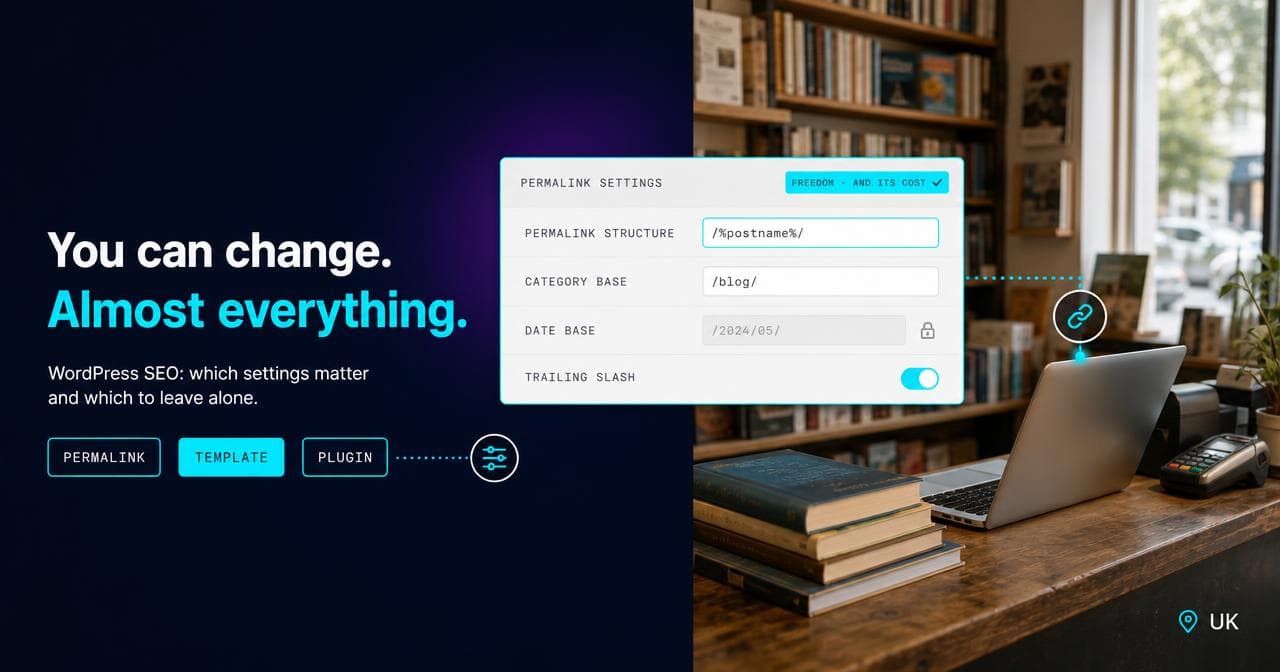
WordPress's permalink structure (Settings > Permalinks) decides the shape of every URL on the site. Leave it on the default and URLs look like ?p=123. Switch to a structure built around the post name and URLs become readable and keyword-bearing. Both are valid starting points. The expensive mistake is changing the structure after the site has been live and indexed for a while.
Flip the permalink setting and every URL on the site changes at once, whether or not anything else about the page did. If nothing redirects the old URLs to the new ones, every backlink pointing at the old pattern breaks, and every URL Google has indexed starts returning a 404. Google's own guidance on site moves is to keep permanent redirects from each old URL to its new equivalent in place for at least a year, because it can take that long for search engines to fully re-crawl and transfer the old signals.
I did a bigger version of this on The Place Hotels rebuild: two Edinburgh hotels moved off an old WordPress site onto a new one, not just a permalink switch within the same platform. Migrating and restructuring years of WordPress content while preserving the SEO metadata page by page was most of the actual work. The redirect discipline is the same whether you are changing a permalink structure or leaving WordPress altogether, only the scale changes.
The rule of thumb: decide the permalink structure before launch, because getting it right early costs nothing. If a change is unavoidable later, map every old URL to its new equivalent with redirects rather than relying on WordPress's default behaviour, and expect to watch Search Console coverage for months, not days, while it settles.
Category and tag archives: where thin duplicate content actually comes from
On a WordPress site that has been publishing for a few years, nothing generates more thin, near-duplicate content than tag archives quietly indexing hundreds of near-empty pages.
WordPress creates an archive URL for every category and every tag the moment either is applied to a published post, regardless of how many posts end up carrying it. There is no default limit on tags per site or per post. Content teams tag generously because it feels like internal navigation, not publishing. Each tag is a page all the same, and Google indexes it like one.
In the audits I run, a site with a taxonomy of 40 to 60 tags and a habit of applying six to eight per post can generate several hundred archive URLs where most hold one to three posts. Each of those thin pages competes, in Google's eyes, with the real content it is meant to support, on the same phrase, diluting rather than reinforcing it.
Categories usually deserve to stay indexed, because on most sites they map to genuine sections a visitor would want to browse. Tags rarely do. Auditing which tag archives actually hold enough substantial content to justify a URL, and noindexing the rest, is one of the most effective fixes available on an established WordPress site, and it costs nothing beyond the time to do it.
Attachment pages: the archive nobody asked for
Upload an image through the WordPress media library and, unless something has been configured to stop it, WordPress creates a standalone page for that attachment: a URL with little more than the image, a title pulled from the filename, and whatever chrome the theme wraps around it.
Nobody sets out to publish these. They accumulate. In the site audits I run, sites that have changed theme two or three times, with each migration involving a fresh round of image uploads, often carry the largest numbers, sometimes running into the thousands on a site with only a few hundred real posts. Because attachment pages are thin by construction and generated automatically, they are one of the easiest ways for a site's indexed page count to balloon past what anyone intended, and for crawl budget to go somewhere other than the pages that matter.
The fix is usually to redirect attachment URLs to the file itself, or to the post it belongs to, so the archive stops generating new pages without breaking any that are already earning traffic.
Pagination: /page/2/ is not the problem, treating it wrong is
Paginated archives, /category/example/page/2/ and so on, used to come with a specific piece of markup, rel="next" and rel="prev", meant to tell Google that a set of paginated pages formed a series. Google said in 2019 that it no longer uses those attributes, and had not fully relied on them for some time before that.
The mistake I still see on WordPress builds is canonicalising every paginated page back to page one, on the assumption that consolidating them helps. It does the opposite: it tells Google the content on page two does not really exist as its own URL, which can stop those posts being crawled at all. Current best practice is plainer: let each paginated page self-canonicalise to its own URL. There is no consolidation trick to layer on top.
What actually controls your canonicals and meta tags
Here is the one place WordPress genuinely does not hand you the controls: core has no native field for a meta description, and no native way to set a canonical tag per page. Writing those requires something on top, typically an SEO plugin, occasionally a custom theme template built to do the same job.
WordPress closed part of that gap in August 2020, when version 5.5 added a basic native XML sitemap at /wp-sitemap.xml, covering public post types, taxonomies, author archives and the homepage by default. It is serviceable, but it does not touch meta tags or canonicals.
The plugin question matters less than what happened after it was installed. A default install with every setting left untouched will still leave canonical tags blank or duplicated across parameterised URLs, and titles unwritten on anything published before the plugin arrived. The software solved the access problem; someone still has to do the configuration.
Multilingual sites and hreflang: usually missing, rarely wrong on purpose
WordPress core has no native concept of a second language. A multilingual site needs a plugin, a proper multisite network, or a hand-built set of subdirectories, and whichever route gets chosen, hreflang (the link markup that tells search engines which URL serves which language or region, so the right version reaches the right visitor) does not appear on its own.
The gap I see most often on multilingual WordPress sites is a missing reciprocal link: a site translates its content into three languages but only points the English page at the French one, never back. Every language version of a page needs to reference every other version, including itself, for the signal to mean anything. Miss that and the language versions end up competing with each other instead of each serving its own audience.
Core Web Vitals: usually the theme and the host, rarely WordPress itself
Google's current thresholds for a "good" score are Largest Contentful Paint under 2.5 seconds, Interaction to Next Paint (INP, the responsiveness metric that replaced First Input Delay in 2024) under 200 milliseconds, and Cumulative Layout Shift under 0.1, each at the 75th percentile of real visits. A plain WordPress install with a lean theme and reasonable hosting clears all three without much effort. WordPress core itself is not heavy.
What fails Core Web Vitals is almost always what has been layered on top: a page-builder theme rendering unused CSS and JavaScript on every template regardless of what the page contains, a stack of plugins each doing overlapping jobs (three sliders, two popup builders, a chat widget nobody uses), and hosting cheap enough to leave server response time dragging LCP out before the page has even started rendering.
Staging-to-live indexing accidents
WordPress has a checkbox, under Settings > Reading, labelled "Discourage search engines from indexing this site." Tick it and, depending on the setup, it adds a sitewide noindex directive and can adjust robots.txt to match. It is meant for sites still under construction.
The accident runs in both directions. Launch a site with that box still ticked and the entire live site becomes invisible to Google, sometimes for weeks, before anyone thinks to check. Or leave a staging subdomain with no protection at all, and Google indexes the staging copy, which can then appear in results competing with the real site on its own content, until someone notices duplicate pages under an unfamiliar URL.
Both are one setting away from being invisible. Checking indexing status the day a site goes live, in Search Console or with a plain site: search, catches this before it costs weeks rather than after.
When this genuinely is WordPress's fault, not yours
To be fair to the platform: a short list of things really do need something added on top before they work at all. No native meta description or canonical field until a plugin or custom template supplies one. No native multilingual or hreflang support. No native sitemap before August 2020, and even now it is basic. Those are real gaps, not user error.
Permalinks, tag bloat, attachment pages, pagination canonicals, the staging checkbox, Core Web Vitals: all of it is a decision someone made or forgot to make. That is the mirror image of a platform that locks the important levers away from you: WordPress hands you almost all of them and expects you to know which ones you have touched.
Running WooCommerce on top of WordPress changes some of this, covered separately in WooCommerce SEO: what actually differs from WordPress. The same questions look different again on Shopify and Magento, and the full platform comparison sets out where each one locks down a layer that WordPress leaves open.
If you recognise your own site in three or four of the sections above, that is normal for a WordPress site that has been live for a couple of years without a technical SEO pass. In my experience, most of it is a few hours of configuration, not a rebuild. Where the theme or plugin stack is genuinely the constraint, that is a websites conversation rather than an SEO one. Where it is mostly settings and cleanup, it is the other way round.
Sources.
- Site Moves and Migrations — Google Search Central (accessed August 2026)
- Web Vitals — web.dev (Google) (accessed August 2026)
- New XML Sitemaps Functionality in WordPress 5.5 — WordPress.org (Make WordPress Core) (accessed August 2026)
- Localized Versions of Your Pages — Google Search Central (accessed August 2026)
- Settings Reading Screen — WordPress.org (accessed August 2026)
- Google hasn't supported rel=next/prev for a while (thanks for telling us) — Search Engine Land (accessed August 2026)